
Smart phrases are compliant when the text that lands in a note describes what the clinician actually did for that patient on that day, and when your practice can prove it through policy, review and audit. The shortcut is not the risk. Unedited defaults are. A phrase that inserts a full exam the physician never performed is the kind of documentation payers and federal reviewers flag as overdocumentation. If you run an independent practice, the answer is a short set of rules for how phrases are built, approved, edited at the point of care and audited afterward.
TL;DR
- A SmartPhrase (Epic) or AutoText (Cerner) expands a short code into text. Used well, it improves consistency and legibility. Used on autopilot, it can document services not rendered.
- CMS and AHIMA both warn that defaulted and copied text can support a higher level of service than was delivered.
- The physician is responsible for every word signed, including imported text. Edit each default so only patient-specific facts for that visit remain.
- Build phrases with blanks, prompts and open-ended fields. Approve them, version them and audit their output on a schedule.
- Pre-submission review of EHR data catches phrase-driven gaps before they become denials or repayment demands.
Table of Contents
- What a smart phrase is and why practices rely on it
- Where smart phrases create compliance risk
- What to check before you sign a note built with a phrase
- How to build and govern phrases in your practice
- Where manual review runs out
- Start with a free audit of your own charts
- Perspective: smart phrases are a workflow asset that needs a safety net
- FAQ
- Sources
What a smart phrase is and why practices rely on it
ACEP describes SmartPhrases, also called dot phrases, as shortcuts that insert commonly used text into a note when the user types a period followed by a short phrase. One can be a single sentence or an entire note template. They can belong to one clinician, be shared, or be rolled out to a department or whole organization.
A peer-reviewed characterization of EHR documentation shortcuts notes that Cerner's equivalent is AutoText, and that used appropriately these shortcuts can mean fewer abbreviations, more consistency and fewer spelling and grammar errors. The same paper says they can have downfalls when used improperly.
That tradeoff is the whole compliance question. A practice with a few physicians and no compliance department often ends up with dozens of phrases that were each created by one person for one reason, then copied by colleagues. Nobody owns them, nobody reviews them, and nobody knows what they insert into the claim record.

Where smart phrases create compliance risk
Documentation for services not rendered
The CMS decision table on proper use of EHR features (June 2016) says macros can produce documentation for services that were not rendered, leading to overdocumentation and upcoding. It adds that default population can encourage overdocumentation even when services were not medically necessary or never delivered.
The CMS documentation integrity fact sheet (June 2016) says HHS-OIG identified record cloning and copy and paste among the EHR features improperly used to facilitate fraud, waste and abuse. It also notes that macros and templates can auto-fill information and create unintended errors.
Auto-generated negatives and inflated levels
AHIMA's best practices for EHR documentation (2013 update) gives a concrete example. A phrase that auto-generates normal findings across every review of systems area can result in a higher level of service unless the provider documents pertinent positives and deletes the wrong entries. From a billing perspective, AHIMA says defaulting or copying and pasting information from other encounters facilitates billing at a higher level than was provided.
That is the pattern to look for in your own charts: a 99214 or 99215 supported by a long exam that looks the same in every note.
Thin templates that fail medical necessity
Risk runs in both directions. The AAPC summary of CMS change request 8033 (issued March 15, 2012) says CMS does not prohibit templates but discourages limited-space ones. Claim review experience showed they often fail to capture enough detail to show coverage and coding requirements are met, and templates designed mainly for reimbursement are often insufficient to show medical necessity. The same article reports CMS noticed an increase in records with identical documentation across services.
So a phrase can hurt you by saying too much that was not done, or too little to defend what was done. For examples of notes that carry enough detail, see our medical necessity documentation examples.
Note bloat and authorship questions
A 2024 peer-reviewed study of DotPhrase use says excessive use can produce long, cumbersome notes that bury crucial information. It also says anyone with medical training can create a DotPhrase, which is why governance matters.
Authorship is another exposure. AAPC reports that payers are beginning to request audit trail logs to see who documented the HPI. HPI should not count toward the E/M level when there is valid reason to believe someone else wrote it. A phrase that reads as though a physician is speaking to the patient, when a scribe or staff member entered it, raises exactly that question.
What to check before you sign a note built with a phrase
The physician's signature owns the content. A Banner Health medical record documentation policy (effective January 8, 2026) states that the treating provider is responsible for the accuracy of everything entered, including imported, copied and pasted information, and that documentation must be specific to each encounter. A 2012 letter from the Attorney General and HHS Secretary, quoted by AAPC, says care information must be verified individually and cannot be cut and pasted from a different record.
Use this pre-signature routine:
- Read every inserted line. AHIMA says providers should review and edit all defaulted data so only patient-specific data for that visit remains, and remove irrelevant information pulled in by the template.
- Delete what you did not do. If the phrase includes an exam element, review of systems item or counseling statement that did not happen, remove it.
- Fill every blank. Prompts such as the three asterisks ACEP describes exist to force a decision. Do not clear them without a real entry.
- Add the pertinent positives. The patient-specific findings are what support medical necessity.
- Check the level. Ask whether the documented history, exam, data and decision-making match the code you intend to bill, using the documentation alone.
- Confirm authorship. Anything entered by someone else should be attributable to that person.
A consultant cited by AAPC, Joyce Will, RHIT, CPC, suggests that a process where the provider must actively add language for each encounter, such as point-and-click entry, is not cloning. Phrases built around that principle are safer than pre-populated blocks.
How to build and govern phrases in your practice
The CMS fact sheet encourages providers to develop documentation policies with clearly defined roles, monitor and audit EHR documentation periodically, set up channels for reporting errors and give targeted training on EHR features. For a small practice, that translates into five practical controls.
1. Assign an owner and an approval step
Name one person, often the practice administrator or HIM lead, plus a physician reviewer. No shared or practice-wide phrase goes live without approval. A Kaiser Permanente resident guideline manual (2025-2026) shows the approach at scale: regionally developed SmartPhrases for cosigning, so all required attestation elements appear, with regular HIM audits and monthly reporting.
2. Design for the individual encounter
The CMS decision table recommends open-ended templates that let physicians add details about the specific episode of illness, and modifying templates so documentation reflects conditions and observations unique to the service. In practice:
- Use blanks and pick-lists instead of pre-filled normals.
- Keep exam phrases short and organized by body system, so a physician inserts only what was examined.
- Avoid phrases tied to a billing level. Build them around clinical content.
- Put attestation language (teaching physician, supervision, time) in separate phrases with required fields.
3. Hold every phrase to the documentation standard
Tenet Health's policy on copy-forward and auto-populate (effective November 6, 2014; reviewed April 18, 2019) says anything created with macros must still document the reason for the encounter, assessment, intervention or diagnosis, plan of care, patient progress, and the date and identity of the user. That is a good test for each phrase: does the output still carry those elements once the clinician finishes it?
For the coding side, the ICD-10-CM Official Guidelines for FY 2026 (effective October 1, 2025 through September 30, 2026) state that accurate coding cannot be achieved without consistent, complete documentation. Guidelines are updated each fiscal year, so confirm the current set each October.
The principle is the same in any field that relies on records for review: the file has to show the particular facts of the case. Even a guide to the records kept for IRS review rests on specific, case-level documentation rather than boilerplate.
4. Protect the audit trail
The CMS decision table says turning off security features such as the audit log can leave it inadequate, and cites the HIPAA Security Rule, 45 C.F.R. § 164.312(b), as requiring the audit log within the EHR. Per the fact sheet, HHS-OIG recommends the log always be operational, stored as long as clinical records and never altered. AHIMA says audit trails should capture the user, application, workstation, document, event (amendment, correction or deletion) and date and time. Without that, your practice cannot show who wrote what when a payer asks.

When several people contribute to a note, AHIMA says all signatures should be retained so each contribution is clear. If your e-signature process is loose, our guide to physician e-signature compliance covers four controls.
5. Audit the output on a schedule
A Moss Adams presentation hosted by HCCA names automated insertion of clinical data with predetermined components of uncertain clinical relevance as a documentation integrity risk. It recommends understanding EMR functionality and the audit trail, and mitigating risk through education, policies, EHR flags and alerts, constant auditing and monitoring, baseline coding standards and template design and approval.
A workable cadence for a small group:
| Control | What to do | How often |
|---|---|---|
| Phrase inventory | List every shared phrase, owner and last review date | Quarterly |
| Output sampling | Pull notes per provider and compare phrase text to the billed level | Monthly |
| Pattern check | Look for identical exam or ROS text across different patients | Monthly |
| Retire or revise | Remove unused phrases and fix flagged ones | Quarterly |
| Training | Refresh edit-before-sign habits with each provider | Annually and after any finding |
The pattern check matters most. Identical text across unrelated visits is what reviewers notice first, and our cloned notes audit playbook explains how that exposure turns into repayment demands. For the billing side, see how to find upcoding audit risk.
Where manual review runs out
Sampling a handful of charts per provider tells you something, but it misses phrase-driven patterns spread across thousands of encounters. AHIMA's point that policies and audit functions must be in place to ensure compliant billing is hard to meet by hand in a practice without a compliance team.
This is the gap pre-submission review fills. HIMShield scans EHR data for coding, documentation and charge-capture gaps before claims go out, scores documentation quality in real time, and sends automated compliance alerts. If a phrase is driving repeated documentation gaps, the review surfaces them per provider and per payer instead of leaving you to find them in a denial. For a wider view of what this catches, see EHR documentation gaps for independent practices and E/M leveling automation.
Start with a free audit of your own charts
HIMShield offers a free 30-day Revenue Leakage Audit for independent practices. It quantifies coding, documentation and charge-capture gaps in your EHR data and delivers per-provider, per-payer Revenue Leakage Reports. The audit comes with a performance guarantee, and HIMShield drafts corrections for one-click physician e-signature, so your physicians are not rewriting notes by hand. If audit defense is your concern, HIMShield also assembles submission-ready responses to payer audits.
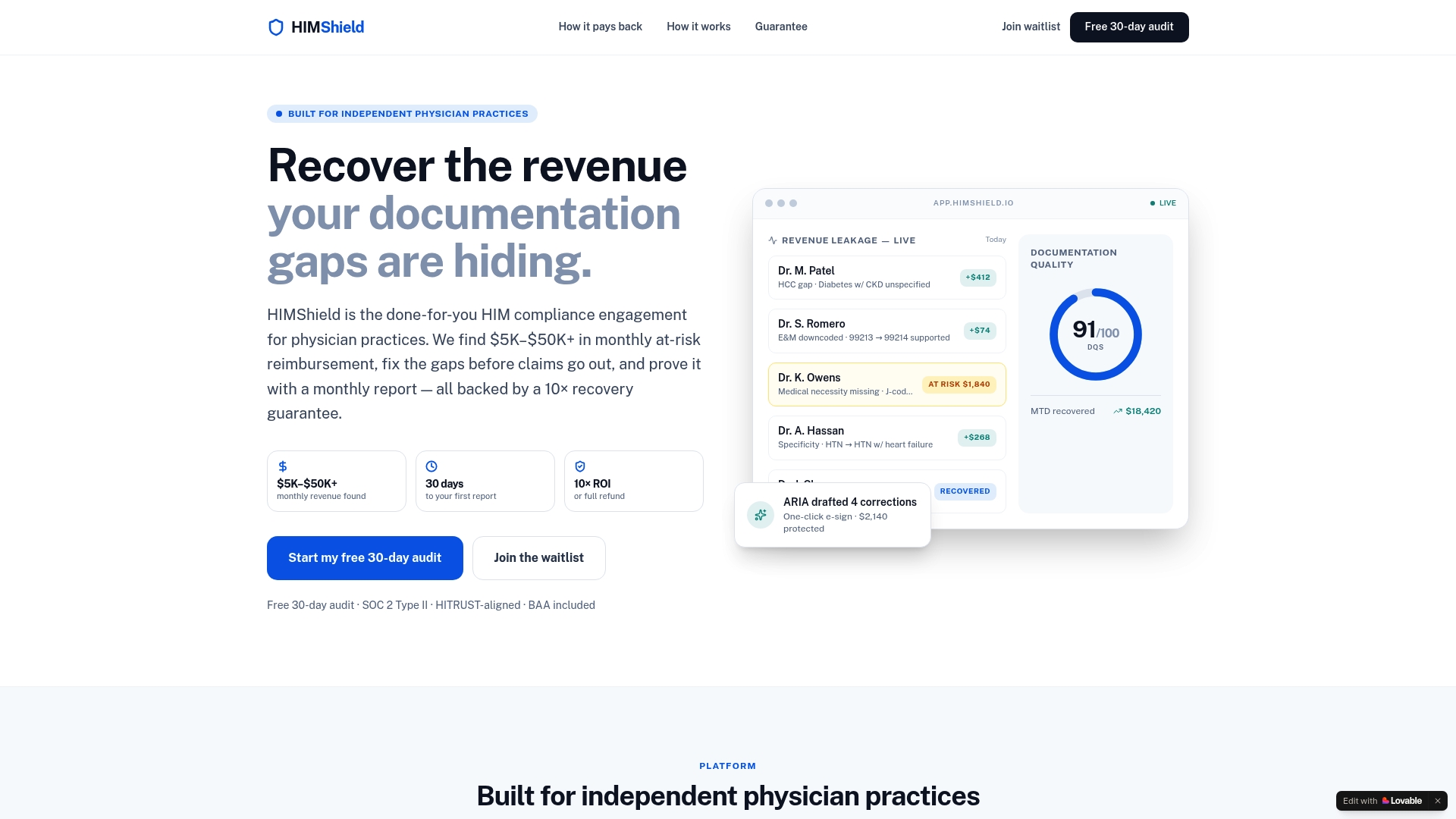
To see how the broader program fits an independent practice, visit HIMShield.
Perspective: smart phrases are a workflow asset that needs a safety net
We would never ask a physician to give up smart phrases. Documentation time is real, and a well-built phrase gives a note structure and consistency that free typing rarely does.
What we ask instead is that the practice can see what its phrases produce. When we look at documentation, the question is whether the note supports the service billed, provider by provider and payer by payer. A phrase is just one way a gap gets in, whether that is a missing element, an exam that does not match the level, or text that repeats across charts.
Our platform is designed to scan EHR data before claims are submitted, quantify what is at risk, and draft the correction for the physician to e-sign. That keeps the speed of the shortcut and puts the review where a small practice cannot easily staff it: before the claim leaves, and again if a payer comes asking.
Elena
FAQ
What is a smart phrase in Epic?
A SmartPhrase is a shortcut that expands a short code, typed after a period, into a longer block of text in a note. It can be a sentence or a whole template, and it can include blanks and pick-lists the clinician completes. Cerner's version is called AutoText.
Are smart phrases and templates allowed by Medicare?
CMS does not prohibit templates, according to its 2012 change request as summarized by AAPC. It does discourage limited-space templates that fail to capture enough clinical detail, and the documentation still has to show medical necessity and support the code billed.
Who is responsible for what a smart phrase inserts?
The signing provider. Policies such as Banner Health's make the treating provider responsible for the accuracy of all documentation, including imported, copied and pasted text. Review and edit every inserted line before you sign.
How often should a practice review its smart phrases?
CMS encourages periodic monitoring and auditing of EHR documentation without setting a fixed interval. A practical rhythm is a quarterly phrase inventory and a monthly sample of notes per provider, with extra review after any payer request or internal finding.
Sources
- Things You Can Do on Your Own - Epic, ACEP
- Characterization of Electronic Health Record Documentation Shortcuts
- Ensuring Proper Use of Electronic Health Record Features, CMS
- Documentation Integrity in Electronic Health Records Fact Sheet, CMS
- Integrity of the Healthcare Record: Best Practices for EHR Documentation, AHIMA
- Win the Battle of the Clones, AAPC Knowledge Center
- Watch Out for Misused EHR Documentation Shortcuts, AAPC Knowledge Center
- Utilization and efficacy of DotPhrases in the electronic medical record
- HIMS Medical Record Documentation, Banner Health
- GME Resident Guidelines Manual 2025-2026, Kaiser Permanente
- EHR: Appropriate Use of Copy/Forward, Carry-Forward and Auto-Populate Functionalities, Tenet Health
- ICD-10-CM Official Guidelines FY 2026, CMS
- EMR Risk Auditing, HCCA