
A healthcare compliance audit trail is a tamper-evident, time-stamped log of every action taken on protected health information (ePHI) — who accessed it, what they changed, and exactly when. Under HIPAA's Security Rule (45 C.F.R. §164.312(b)), covered entities must implement audit controls that record and examine system activity. For independent physician practices, that requirement isn't just a checkbox — it's your first line of defense when a payer demands documentation or the OIG comes knocking. Audit trails let you reconstruct the precise sequence of documentation versus billing, which is exactly what separates a defensible claim from a recovery demand.
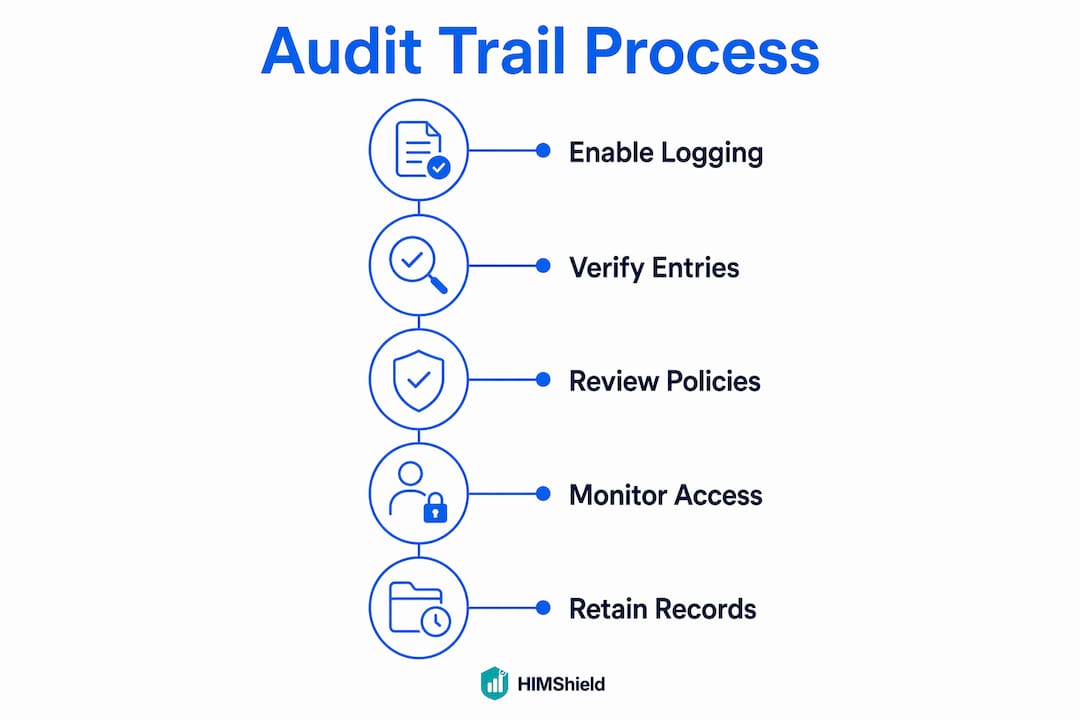
Three things to verify right now: confirm audit logging is enabled across your EHR and billing system, check that every user has a unique ID (no shared logins), and verify your log retention period.
Pro Tip: Run a quick spot check today — pull five recent encounter records and confirm the documentation timestamp precedes the claim submission date. If it doesn't, you have an immediate coding risk to address.
Table of Contents
- What does a healthcare compliance audit trail actually record?
- How audit trails protect you — and expose risk — in legal settings
- How payors and auditors use your logs to find billing risk
- Best practices for protecting revenue through audit trail management
- Using audit logs to find missed revenue and fix workflows
- Red flags auditors watch for — and misconceptions that put practices at risk
- How to export audit-trail data when an auditor requests it
- What U.S. standards require — and what to check
- Your 30/60/90-day action plan to reduce billing risk now
- Why transparency beats concealment every time
- Himshield helps you detect coding risks before auditors do
- Key Takeaways
- Useful sources
What does a healthcare compliance audit trail actually record?
Every credible audit log captures a consistent set of fields. NIST guidance recommends logging sufficient detail to reconstruct events fully, and HHS expects covered entities to review records of both application processes and user activity.
| Field | What it captures | Why it matters for billing/coding |
|---|---|---|
| Unique user ID | Individual who performed the action | Ties every edit to a specific provider or staff member |
| Role/job function | User's access level at time of action | Confirms authorization for the action taken |
| Action type | View, create, modify, delete, export | Distinguishes routine access from risky edits |
| Precise timestamp (with time zone) | Date and time of the event | Proves documentation preceded or followed billing |
| Patient/record ID | Encounter or chart affected | Links log events to specific claims |
| Source system/device/IP | Where the action originated | Detects off-hours or off-site access anomalies |
| Before/after values | Data state pre- and post-change | Reveals what was altered and by how much |
| Outcome/result code | Success, failure, or error | Flags failed access attempts |
| Justification/reason code | Stated reason for a late entry or correction | Critical for defending legitimate amendments |
A realistic log entry looks like this: UserID: DR_SMITH_001 | Role: Attending Physician | Action: MODIFY | Record: Encounter #20240312-447 | Timestamp: 2024-03-14 09:22:11 EST | Field changed: Diagnosis code (ICD-10) | Before: Z00.00 | After: E11.9 | Reason: Correction per lab results received 03/13.
Time synchronization matters here. Logs across your EHR, billing platform, and any middleware must use a consistent NTP (Network Time Protocol) source. Mismatched clocks create timestamp discrepancies that auditors treat as red flags. Storage should use WORM (Write Once, Read Many) media or cryptographic hashing to satisfy tamper-evident requirements.
How audit trails protect you — and expose risk — in legal settings
Immutable audit logs are treated as credible evidence precisely because they cannot be quietly altered. In a payer audit or OIG inquiry, the log establishes chain of custody: it shows the original record, every subsequent change, and who authorized each one. That chronology can protect you when documentation was genuinely completed before billing. It can also expose you when it wasn't.
Transparency is always the better legal posture. A properly documented late entry — with a justification code, the original date of service, and the actual date of amendment — is defensible. A retroactive edit with no justification code, discovered after an inquiry begins, can shift an administrative overpayment dispute into a fraud allegation. Compliance counsel consistently advises: document the correction, don't conceal it.
Keep a written log-review policy and records of your periodic reviews. Auditors want to see not just that logs exist, but that someone actually looks at them. That documented due diligence is part of your medical record audit defense.
How payors and auditors use your logs to find billing risk
Auditors don't read logs line by line. They run queries. Here's what they look for:
- Late entries: Documentation timestamps that fall after the claim submission date signal possible retroactive justification.
- Copy/paste patterns: Identical clinical language across multiple encounters, especially for E/M visits, suggests cloned notes rather than individualized documentation.
- Mass edits: A large volume of changes to high-value codes within a short window draws immediate scrutiny.
- Mismatched provider IDs: The billing provider ID differs from the user ID on the clinical note — a common unbundling or incident-to billing red flag.
- Frequent edits to specific codes: Repeated modifications to CPT codes associated with high reimbursement (99215, 99214) suggest upcoding pressure.
- Anomalous access patterns: Unauthorized logins or failed authentication attempts tied to ePHI access indicate potential misuse.
Pattern detection is where independent practices are most vulnerable. A single late entry is explainable. Forty late entries across one provider's encounters in a 90-day window is a pattern — and payors aggregate exactly that way. A brief scenario: a practice submits claims for complex office visits, and the payer's audit queries reveal that clinical notes for 38 of those encounters were finalized an average of four days after the claim date. The audit trail proved the documentation existed but was completed late, triggering a partial recovery demand and a corrective action plan. Had the practice been running routine log reviews, that pattern would have surfaced internally first. A risk-based audit approach would have caught it in the first month.
Best practices for protecting revenue through audit trail management
Technical controls first. Enable audit logging across every system that touches ePHI: EHR, billing platform, clearinghouse connections, and any ancillary systems. Disable shared or generic accounts — every user needs a unique ID. This isn't optional; it's the foundation of every other control.

Process controls. Implement role-based access control (RBAC) so staff can only access records relevant to their function. Separate the duties of documentation, coding, and billing wherever staffing allows. Define a written policy for late entries: who can authorize them, what justification is required, and how they're flagged in the system. Batch edits should require supervisor approval and a documented reason.
Retention. HIPAA requires documentation retention for six years; align your log retention to that minimum. State law and payer contracts can require longer periods, so confirm both before setting your policy. Document your retention procedures in writing.
Monitoring cadence. Run daily or weekly exception reports targeting high-risk events: after-hours access, edits to high-value codes, failed logins, and mass changes. Monthly spot checks on a random sample of encounters give you a baseline. Assign a named person to receive and act on alerts.
Policy snippet you can adapt: "All modifications to clinical documentation must include a unique user ID, the date and time of modification, and a reason code. Late entries must be approved by [designated supervisor] and flagged with reason code [LT] in the EHR."
Pro Tip: To reduce false positives in charge capture reviews, filter your exception reports to exclude routine actions (e.g., standard medication reconciliation updates) and focus alerts on edits to diagnosis codes, E/M levels, and procedure codes within 72 hours of claim submission.
Using audit logs to find missed revenue and fix workflows
Compliance defense is the obvious use case. Operational revenue recovery is the one most practices overlook. Audit trails combined with chart-audit workflows can surface recoverable revenue by identifying where documentation timing and billing diverge.
Useful queries to run: encounters with no charge posted within 48 hours of visit close, coding fields edited more than twice per encounter, users with edit volumes significantly above the practice average, and templates that consistently generate downstream denials. Each of these points to a workflow gap, not just a compliance gap.
Trace a missed charge like this: the appointment log shows a visit on March 5. The EHR log shows the note was finalized March 7. The billing system log shows no charge was posted. That three-event sequence, correlated across systems, identifies a charge leakage point you can fix. Pair those findings with a chart audit workflow to prioritize which encounters to review for immediate revenue recovery.
Metrics worth tracking: edit rate by user, median time-to-document, percentage of claims with retroactive edits, and charge leakage by service line. Don't forget paper records — manual sign-in/sign-out logs for physical files are frequently requested during audits and commonly absent.
Red flags auditors watch for — and misconceptions that put practices at risk
- "Cleaning" records before an audit: Retroactive edits without justification codes appear in metadata. Legal counsel warns this can escalate an overpayment inquiry into a fraud allegation.
- Copy/paste without review: Cloned notes that carry forward incorrect diagnoses or outdated medication lists are a documentation integrity failure and a coding risk.
- Shared user accounts: When two staff members share a login, attribution is impossible. Every action under that ID becomes suspect.
- Missing time zone data: Timestamps without a specified time zone create ambiguity that auditors exploit.
- Inconsistent provider IDs: The billing NPI differs from the user ID on the note — a common trigger for incident-to billing scrutiny.
The right response when you detect a red-flag pattern: stop the activity, document what you found and when, run a targeted internal audit of affected encounters, and retrain the relevant staff. Attempting to quietly correct records after an inquiry begins is the single most damaging thing a practice can do. Understanding why practices face OIG audits starts with recognizing these exact patterns.
How to export audit-trail data when an auditor requests it
- Identify all log sources. Pull from your EHR, billing system, clearinghouse, and any middleware. Don't forget ancillary systems (lab, imaging) if they're in scope.
- Select required fields. Include user ID, timestamp (with time zone), action type, record ID, before/after values, and justification codes. Export in CSV, JSON, or SYSLOG format depending on the auditor's specification.
- Document chain of custody. Record who exported the data, the exact timestamp of export, and the system version. Generate a cryptographic hash or checksum of the exported file immediately after export.
- Secure the transfer. Use encrypted file transfer (SFTP or equivalent). Never email raw log files.
- Prepare correlated artifacts. Attach encounter notes, orders, and time-stamped communications that map to the log events. Include an executive summary that links specific log entries to the billed claims under review.
- Preserve originals. Never alter native logs. Work from read-only copies and retain originals in tamper-evident storage throughout the audit period.
For a full payer audit preparation checklist, including documentation sequencing and response timelines, review the linked guide.
What U.S. standards require — and what to check
| Authority | Key rule | Concrete checks for your practice |
|---|---|---|
| HIPAA Security Rule | 45 C.F.R. §164.312(b) | Audit controls enabled; unique user IDs; documented review policy |
| HITECH | Enhanced enforcement of HIPAA | Breach notification readiness; log availability for HHS review |
| CMS/OIG | Documentation integrity for claims | Logs tied to specific claims; timestamps precede billing dates |
| NIST guidance | Technical logging controls | NTP time sync; tamper-evident storage; log correlation across systems |
| FDA 21 CFR Part 11 | Regulated electronic records | Applicable if your practice runs clinical trials or regulated device workflows |
HIPAA's six-year retention rule sets the federal floor, but state law and payer contracts can require longer retention or immediate preservation under a litigation hold. Confirm both before finalizing your policy.
Your 30/60/90-day action plan to reduce billing risk now
- Days 1–30: Confirm audit logging is enabled in your EHR and billing system. Verify every user has a unique ID and no shared accounts exist. Export a sample of 30 days of logs and review for late entries and mass edits.
- Days 31–60: Implement weekly exception reports targeting edits to high-value codes, after-hours access, and failed logins. Draft and distribute a written late-entry policy with defined approval workflow.
- Days 61–90: Formalize your six-year retention policy in writing. Conduct staff training on documentation standards and late-entry procedures. Run one internal chart audit using log-derived findings to identify recoverable revenue.
Start this afternoon with the lowest-effort, highest-impact step: confirm logging is enabled and pull a sample export. Everything else builds from there. The physician practice audit survival checklist gives you a structured framework for the full 90-day cycle.
Why transparency beats concealment every time
The practices that fare best in payer audits aren't the ones with perfect records. They're the ones with documented processes, consistent logging, and a culture where corrections are made openly and on the record. That posture is built over months of routine review, not assembled in a panic when an audit letter arrives.
What most practices underestimate is how much the audit trail works for them when it's managed well. A log that shows timely documentation, proper authorization for every late entry, and a named reviewer who checked exception reports monthly is a powerful defense. The same log, unreviewed and full of shared-account entries, is a liability. The difference isn't the technology. It's whether someone is actually looking.
Small controls create outsized returns in audit resilience. Unique user IDs, a written late-entry policy, and a monthly 30-minute log review cost almost nothing. They can be the difference between a routine payer inquiry and a multi-year recovery demand.
Himshield helps you detect coding risks before auditors do
Independent practices spend significant time managing compliance reactively. Himshield flips that equation. The platform automatically scans your coding, documentation, and charge-capture data to surface billing risks before they become denials or audit findings — giving you clear, prioritized findings without requiring a full-time HIM team.
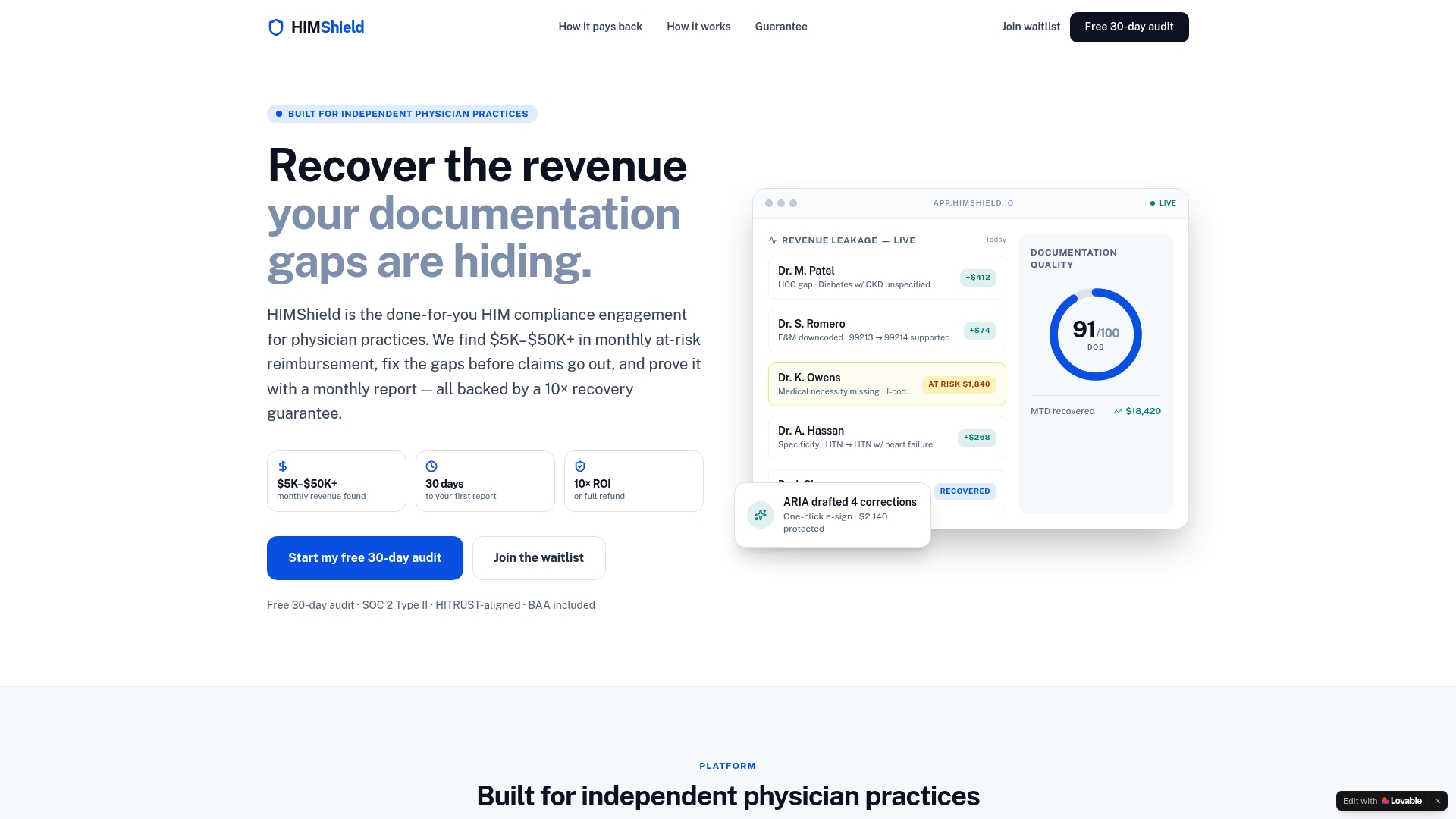
When a payer or OIG inquiry does arrive, Himshield's export workflows help you pull correlated log data and documentation quickly, with the chain-of-custody documentation auditors expect. Practices using Himshield typically identify $5K–$50K+ in recoverable revenue within the first review cycle. See exactly how it works and connect your EHR to get your first risk report in 30 days.
Key Takeaways
A healthcare compliance audit trail is your most defensible evidence in a payer audit — only if it's enabled, reviewed, and retained under a documented policy.
| Point | Details |
|---|---|
| Enable logging across all systems | Audit controls must cover your EHR, billing platform, and ancillary systems with unique user IDs. |
| Retain logs for at least six years | HIPAA sets a six-year floor; state law and payer contracts may require longer retention. |
| Run routine exception reports | Weekly reviews of high-risk edits and late entries catch patterns before payors do. |
| Document every late entry properly | A justified, properly coded late entry is defensible; an unjustified retroactive edit is not. |
| Himshield automates risk detection | Himshield scans coding and documentation data to surface billing risks before they become audit findings. |
Useful sources
- HIPAA Security Rule — 45 C.F.R. §164.312(b): The primary federal requirement for audit controls on ePHI; the starting point for any logging policy.
- NIST IT Laboratory Bulletin on Audit Trails: Technical guidance on log content, time synchronization, and tamper-evident storage.
- Frier Levitt — Understanding EMR Audit Trails: Legal counsel perspective on evidentiary value, retroactive edits, and the risk of record-cleaning.
- Accountable HQ — Audit Trail Definition and HIPAA Compliance: Plain-language explanation of HIPAA retention expectations and covered-entity obligations.
- Censinet — How Audit Trails Support Regulatory Compliance: Covers HHS expectations for routine review, FDA 21 CFR Part 11 applicability, and operational uses.
- Compliancy Group — HIPAA Audit Log Requirements: Practical breakdown of electronic and paper audit trail requirements, including manual sign-in/sign-out obligations.
- Jotform Blog — What Is an Audit Trail in Healthcare?: Accessible overview of detection capabilities, including unauthorized access and anomalous patterns.
This article is general information, not legal or compliance advice. Confirm current rules with HHS, your state health department, or qualified compliance counsel for your specific situation.