
An audit response packet is the complete, organized set of records, cover letter and index you send to a payer or Medicare contractor when it asks for documentation. To assemble one that holds up, read the request for scope and deadline, name one owner, pull only what was asked, have the treating clinician confirm the record, index every item to the request, and keep an identical copy. Practices that do this at the start of an audit avoid most of the scramble, and most of the appeals that follow.
This guide walks independent practices through that routine step by step, then covers the pieces HIM staff ask about around it: the evidence binder, citation mapping, EHR audit log review, a readiness dashboard and a compliance risk register. At each step we show where packets usually go wrong and where HIMShield takes work off your team.
TL;DR
- Start with the request itself: who is asking, what they want, why, and the exact deadline. Calendar it the day it arrives.
- Assign one senior point person and have the treating clinician confirm that the record is accurate and complete before it leaves.
- Send only what was requested, labeled by patient and date of service, with the request letter as the first page and a separate copy kept for you.
- Build the packet from a standing evidence binder and risk register, not from scratch after the notice lands.
- HIMShield assembles submission-ready audit responses from your EHR data, and its free 30-day Revenue Leakage Audit shows where your records are weakest before a payer does.
Table of Contents
- Why the packet decides the outcome
- Step 1: Read the request and set the clock
- Step 2: Assign an owner and a small team
- Step 3: Pull only what was asked
- Step 4: Have the treating clinician confirm the record
- Step 5: Build the packet and the evidence binder
- Step 6: Map each request to its evidence
- Step 7: Review EHR audit logs before you rely on them
- Step 8: Keep an audit readiness dashboard
- Step 9: Keep an internal compliance risk register
- What changed recently
- See where your packet would be weakest
- FAQ
- Sources
Why the packet decides the outcome
The AMA's Payor Audit Checklist warns that payors treat a missing or incomplete response as an incomplete record, and that they can extrapolate their findings into large recoupment demands. Extrapolation means the payer takes an error rate from a small sample and applies it to a far larger set of claims. A packet that is late, disorganized or missing pages can therefore cost far more than the claims actually reviewed.
The same AMA document makes a second point worth remembering: many payor audit appeals can be avoided simply by producing a record that tells the patient's full story. The packet is not paperwork after the fact. It is your first and often only argument.
Step 1: Read the request and set the clock
Before anyone pulls a chart, answer four questions from the request letter.
- Who is asking? A Medicare Administrative Contractor (MAC), a Unified Program Integrity Contractor (UPIC), a Recovery Audit Contractor (RAC) or a commercial payer. Each follows different rules.
- What is requested? Which patients, which dates of service, which record types.
- Why? Prepayment review, postpayment review, a records request tied to a specific claim, or a broader audit.
- By when? The date on the letter is the starting point, not the date you opened the envelope.
For Medicare, CMS publishes the response windows for additional documentation requests (ADRs). Prepayment deadlines are 45 calendar days for MACs and 30 days for UPICs. Postpayment deadlines are 45 days for MACs, Supplemental Medical Review Contractors and RACs, and 30 days for UPICs. Contractors may accept late documentation for good cause, but you should never plan around that exception.
For commercial payers, the AMA checklist says to consult the payor contract and provider manual to confirm that the request fits the audit language you agreed to, then calendar the deadline. Contract terms vary by payer, so this check is specific to each request.
Where it goes wrong: the letter sits with the front desk for a week, or the deadline is tracked in someone's inbox. Put every request in one shared log with the received date, the due date, the owner and the payer contact.
Where HIMShield helps: HIMShield's compliance alerts and audit defense are built so a request does not depend on one person's memory. Our platform is designed to assemble submission-ready responses from your EHR data, which shortens the time between notice and packet.

Step 2: Assign an owner and a small team
The AMA checklist tells practices to assign a senior point person. In a small practice that is usually the administrator or the lead HIM professional. That person owns the deadline, the contact with the auditor and the final check.
The CMS sample checklists for EHR audits (June 28, 2016) go further. They call for a designated lead and a response team that covers IT or EHR, finance, compliance and clinical operations, plus staff assigned to log every auditor request and every response. A five-physician practice will not have a department for each, but it does need each function covered by a named person.
A practical split for a small group:
- Point person: owns the calendar, the auditor contact and the final sign-off.
- HIM or coding lead: pulls records, builds the index, checks that each item matches the request.
- Treating clinician: reviews the record for accuracy and completeness.
- IT or EHR contact: exports records and, if needed, audit logs.
- Counsel, when warranted: the SCAI guidance for physicians says to read the request and consider legal counsel. A request that signals extrapolation, a UPIC review or a fraud inquiry is a reason to involve a health care attorney early.
Step 3: Pull only what was asked
The AMA lists what a typical record request covers: clinical notes, lab results, imaging reports and images, and hospital progress notes and orders. The SCAI best practices (September 2024) add a discipline that many practices miss: send only the specific information requested, along with every document that supports medical necessity. Sending extra charts hands the auditor new targets. Leaving out supporting documents leaves a denial you could have prevented.

SCAI also advises reviewing the full record for issues on other dates of service before you send anything. You are not hiding anything by doing this. You want to know what the auditor will see if the review widens, and to correct your own process early.
On privacy, SCAI says to send documents in a secure format that protects protected health information (PHI). Use the portal or encrypted transfer the requester specifies, and avoid ordinary email. The HIPAA side of record release is covered in our guide to a six-step medical record request response.
Step 4: Have the treating clinician confirm the record
The AMA is direct that only the treating clinician can confirm that a produced record is accurate and complete. Build a short review into the timeline, not into the last afternoon. The clinician checks that the notes, orders and results match what was billed, and flags anything that looks unfinished.
If the record is incomplete, the AMA recommends adding an explanatory letter. After-the-fact explanations carry less weight than contemporaneous records, but they can still clarify an unclear course of action. Keep them factual, dated and clearly separate from the original documentation. Never alter the original entries.
Where HIMShield helps: corrections are a common bottleneck because they wait on physician time. HIMShield drafts corrections and sends them for one-click physician e-signature, so a clinician's review does not mean a stack of paper. Its real-time documentation quality scoring also flags thin notes before a claim is submitted, so fewer of them reach the packet stage at all.
Step 5: Build the packet and the evidence binder
An evidence binder is the organized set of documents behind the response, whether it is a paper binder or a structured folder set. The research from University of Mary Washington's internal audit guidance is simple and transfers well to a medical practice:
- Organize documents in the same order as the request, or in the order the activity occurred.
- Use clear file names tied to the request or sample number, such as "Sample 3 – Invoice."
- Keep separate folders for each request category.
- Add a cover note or index when the connection between documents is not obvious.
- Highlight key details in long documents.
- Where something is missing, explain what is missing and why, and provide alternative support.
SCAI adds medical-practice specifics: clearly separate and label each patient and date of service, always include a copy of the request or ADR, and keep copies of everything submitted. CMS recommends attaching the ADR letter as the first page, so the contractor can match your documents to its request.
Here is a layout that works for a typical records request:
| Packet section | What goes in it | Common failure |
|---|---|---|
| 1. Request copy | ADR or audit letter, first page | Missing, so documents cannot be matched |
| 2. Cover letter and index | Claim list, page counts, notes on missing items | No index; auditor cannot find the support |
| 3. Per-claim records | Notes, orders, results, imaging reports, signatures | Multiple patients or dates mixed together |
| 4. Supporting documentation | Items that show medical necessity | Left out because "it was not asked for" |
| 5. Explanatory letters | Late entries, missing items, clarifications | Mixed into original notes |
| 6. Internal copy | Identical electronic copy of what was sent | Not saved, so the practice cannot reconstruct it |
The AMA specifically recommends keeping a separate electronic copy. Record the date sent, the method, and the tracking or confirmation number in your request log.
Step 6: Map each request to its evidence
Citation mapping is the discipline of tying every line of the auditor's request to the exact page that answers it. It is the difference between a packet an auditor can clear in an hour and one that triggers follow-up questions.
A simple map has one row per requested item:
- The auditor's request, quoted or numbered as it appears in the letter.
- The claim, patient and date of service it concerns.
- The document and page that answers it.
- Status: provided, partially provided, or not available.
- For anything not available: the reason, the alternative support and who approved the explanation.
The same table becomes your record of corrective action. The CMS EHR audit checklists call for staff to document the internal monitoring process and the follow-up on any incidents identified. After a final report, they call for designating staff for corrective action plans, setting completion dates and establishing a monitoring plan to verify the fixes worked. If an overpayment is identified, see our guide to responding to an overpayment demand for the next steps.
For the cover letter that sits on top of the map, our eight-step audit response letter guide covers structure and tone.
Step 7: Review EHR audit logs before you rely on them
If an auditor questions when a note was written, who signed it or whether it was changed, the EHR audit log is the evidence. HIM staff should know what it shows before a request arrives.
The AHIMA practice brief on privacy and security audits (2014 update) cites two HIPAA Security Rule provisions: 45 CFR 164.308(a)(1)(ii)(C), which requires information system activity review, and 164.312(b), which requires audit controls. It recommends at minimum monthly review of user activity in clinical applications, near real-time review where possible, storing logs on a separate server and restricting access to prevent tampering. It suggests keeping logs for three years as a recommendation, and keeping proof that audits were conducted for six years.
When a log is part of your response, check these points first, drawn from the AHIMA and checklist material:
- Account identification: every entry ties to a named user.
- Timestamps: creation, signature and amendment times are consistent with the dates of service and billing.
- Amendment history: late entries and edits are visible and explained.
- Privilege changes: nobody had access they should not have had.
- Log protection and a documented review procedure.
For more on what good EHR audit trail requirements look like in practice, see this overview of EHR audit trail requirements. Whatever you produce, give the auditor only the log extracts relevant to the request, and have HIM and IT agree on what the export shows before it leaves.
Step 8: Keep an audit readiness dashboard
The fastest packet is one half-built before the notice arrives. The AHIMA External HIPAA Audit Readiness Toolkit applies the adage that if you did not write it down, it did not happen. It recommends proving compliance in advance with a policy log (policy number and title, date established, review dates and actions taken), prior versions of policies, an inventory of training activities with dates and audiences, key metrics and mock audits.
For a practice, a readiness dashboard can be a single shared sheet or a tab in your compliance system with these columns:
| Item | What to track |
|---|---|
| Open requests | Payer, request type, received date, due date, owner |
| Packet status | Not started, records pulled, clinician review, ready, sent |
| Evidence library | Policies with review dates, training logs, prior versions |
| EHR log reviews | Date of last review, reviewer, issues found |
| Findings | Source, claim or provider, corrective action, due date |
| Metrics | Requests per quarter, on-time rate, denials overturned |
Review it monthly. A dashboard nobody opens is just another file. For the first days after a notice, our first 72 hours audit readiness steps show how to use it under pressure.
Step 9: Keep an internal compliance risk register
A risk register is a running list of what could go wrong, who owns it, what controls exist and what is being done. Audit findings feed it, and so do external alerts.
A hospital compliance policy from Boston Children's Hospital (effective 1998, last reviewed 2014) shows the structure. It runs an annual risk assessment using business issues, external alerts such as the OIG work plan and internal reporting. It documents management responses and action-plan timeframes and monitors recommendations until a satisfactory solution is found. It also states that overpayments found in internal audits are to be refunded within 60 days of identification. Follow-up depends on the seriousness and complexity of the deficiency. A group practice is smaller, but the columns carry over:
- Risk: for example, "E/M levels not supported by documentation for one provider."
- Source: audit finding, payer notice, internal review, OIG work plan.
- Control: what currently prevents it.
- Owner and due date.
- Remediation and monitoring: what was fixed and how you will confirm it stayed fixed.
The point is to turn each audit into a reason the next one is easier. Our guides on avoiding payer audits and audit-proof documentation cover the upstream fixes.
What changed recently
CMS keeps its audit and review instructions in the Medicare Program Integrity Manual. Chapter 3, on verifying potential errors and taking corrective actions, is currently listed at Rev. 13971, issued 09-30-26. Check the chapter itself before you rely on a procedure, because the manual is revised periodically and contractors follow the current revision.
Our view: the packet is built long before the audit
We built HIMShield for independent practices because the audit packet exposes everything a practice has not yet fixed. A missing signature, a thin note or an unbilled service is not created by the audit. It was already in the chart, and the auditor is the first person to read it closely.
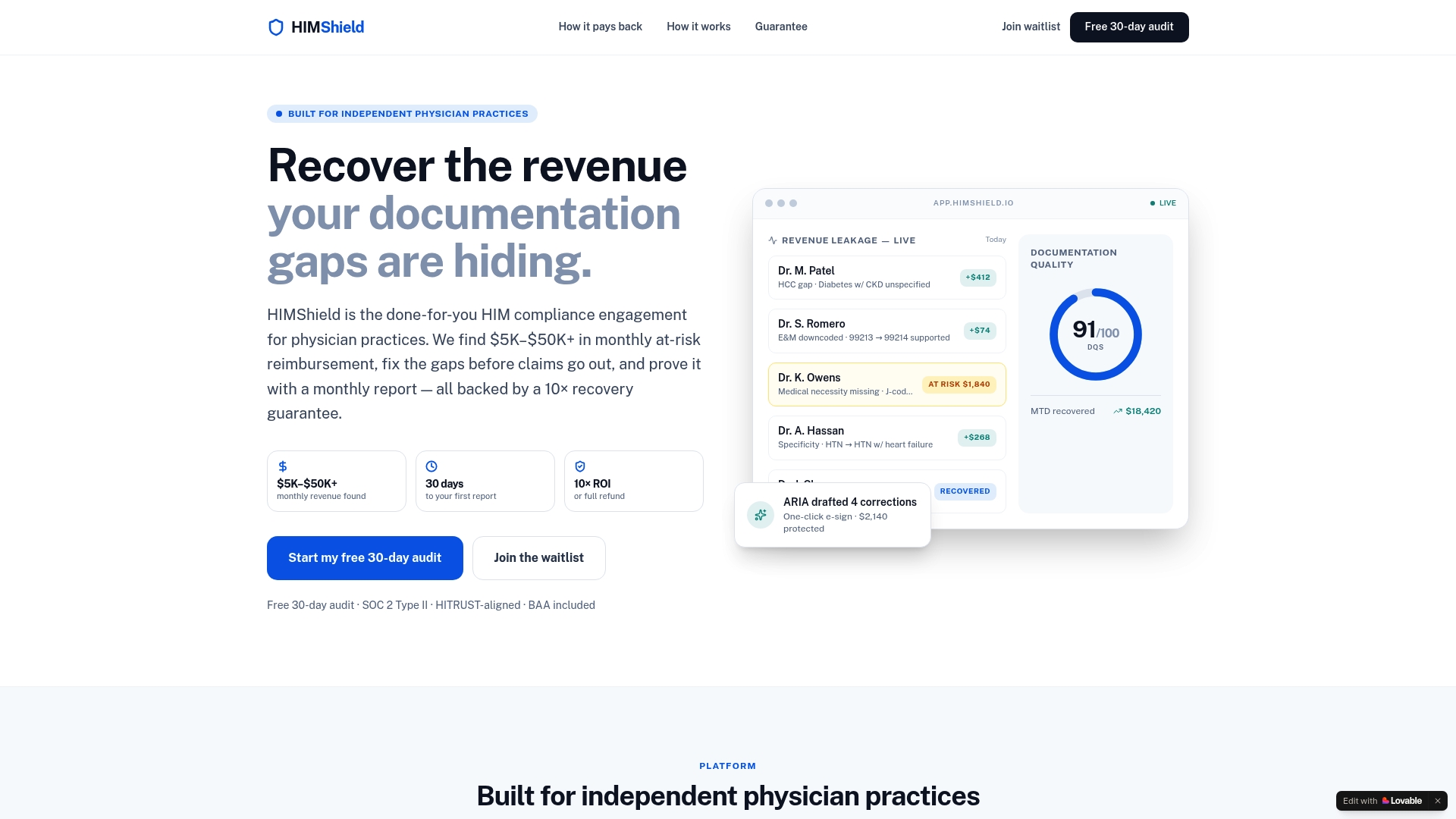
That is why our platform works on EHR data before claims go out. It identifies and quantifies coding, documentation and charge-capture gaps, produces per-provider, per-payer Revenue Leakage Reports, scores documentation quality in real time and drafts corrections for one-click physician e-signature. When an audit does arrive, the same data feeds submission-ready responses. Your team is not rebuilding the story from scratch.
Our approach is done-for-you: it does not require new staff or software training. A practice administrator who is also the compliance officer, the HIM lead and the person answering the phone should not need a new project to be audit-ready.
Elena
See where your packet would be weakest
If you want to know how a payer would read your records, start with your own data. HIMShield's free 30-day Revenue Leakage Audit reviews your EHR data for coding, documentation and charge-capture gaps and delivers a quantified report. It comes with a performance guarantee, and a paid subscription only follows the audit and report.
Start the free 30-day Revenue Leakage Audit or learn how our HIM compliance engagement works for independent practices. For a wider checklist, see our physician practice audit survival checklist.
FAQ
How long do we have to respond to a Medicare audit request?
CMS sets 45 calendar days for MAC prepayment ADRs and 30 days for UPICs. Postpayment, it is 45 days for MACs, SMRCs and RACs and 30 days for UPICs. Check the date printed on your specific letter, and start the day it arrives. See the CMS ADR page.
What should be on the first page of the packet?
A copy of the request or ADR letter. CMS recommends attaching it first so the contractor can match your documents to the request. Your own cover letter and index follow directly after it.
Who should sign off on the records before we send them?
The treating clinician. The AMA states that only the clinician can confirm a produced record is accurate and complete. Your point person then does a final check against the request before it is sent.
Should we send everything in the chart to be safe?
No. SCAI advises sending only the specific information requested, together with the documents that support medical necessity. Label each patient and date of service separately and keep a copy of everything you send.
When should an attorney be involved?
Consider counsel when you first read the request, as SCAI advises, and particularly if the request comes from a UPIC, mentions extrapolation or raises questions beyond routine documentation. A health care attorney can advise on your specific situation.
Sources
- Payor Audit Checklist, American Medical Association
- Additional Documentation Request, CMS
- Best Practices for Responding to Documentation Requests/Audits, SCAI
- Audit Documentation Request Guidance, University of Mary Washington
- Sample Checklists for Preparing for and Responding to EHR Audits, CMS
- Privacy and Security Audits of Electronic Health Information, AHIMA
- External HIPAA Audit Readiness Toolkit, AHIMA
- Compliance: Auditing and Monitoring, Boston Children's Hospital
- Medicare Program Integrity Manual, Chapter 3, CMS
- EHR audit trail requirements