
An AI coding audit uses software that reads clinical documentation, suggests CPT and ICD codes, flags missed charges, and scores documentation quality before claims go out. The single best next step for a practice is a focused 30 to 90 day pre-bill pilot with measurable goals, especially denial-rate change, evaluated against MGMA guidance and OIG compliance expectations. Vendor-built options can run that pilot for you.
TL;DR:
- Request accuracy results from practices in your specialty, confirm suggestions appear inside your EHR, and verify exception workflows preserve physician signoff.
- Keep a human coder in the loop for low confidence suggestions, and retain per decision audit trails linking recommendations to clinical documentation.
- Pair weekly exception dashboards with monthly denial trend reviews, then revalidate approved claims quarterly to catch rule changes and model drift.
- Use AI to scan all charts and prioritize high risk cases, while experienced auditors judge complex cases involving clinical context or payer nuance.
Table of Contents
- What AI-assisted coding and charge-review tools actually do
- How to evaluate an AI coding audit tool: a practical vendor checklist
- Regulatory and compliance considerations for AI in claims submission
- Implementation checklist for piloting and rolling out safely
- Measuring success: KPIs, monitoring cadence, and model drift
- HIMShield perspective: a done-for-you path through the pilot framework
- The step-by-step process of running an AI coding audit
- Types of coding errors AI audits catch that manual review often misses
- How AI coding audits complement traditional manual audits
- Best practices for staying compliant after the AI audit runs
- Where AI coding audits have worked in independent practices
- What matters most when you're actually choosing a tool
- How HIMShield helps: the free 30-day Revenue Leakage Audit
- FAQ
- Sources
What AI-assisted coding and charge-review tools actually do
Not every tool labeled "AI coding audit" does the same job, and that distinction matters when you're comparing vendors. Three categories get lumped together but solve different problems.
AI-assisted coding tools read the clinical note and suggest CPT, ICD-10, and modifier combinations based on documented findings. Charge-review tools work differently: they compare what was documented against what was billed and flag gaps, like a procedure mentioned in the note that never made it onto the claim. Ambient scribe tools sit even earlier in the process, generating the clinical note itself from a patient encounter, which then feeds into coding and charge review downstream.
Typical outputs across these tools include:
- Code suggestions ranked by confidence, tied to specific documentation language
- Missed-charge flags for services documented but not billed
- Documentation-quality scores that predict denial risk before submission
- Risk labels that highlight claims likely to trigger a payer audit
Where a tool sits in your revenue cycle changes what it can catch. Pre-bill chart review happens before the claim leaves your practice, which means errors get fixed before they ever reach a payer. Post-bill or clearinghouse-stage tools catch issues after submission, which can still prevent a denial but adds rework and delays time-to-bill. For practices trying to protect cash flow, pre-bill review is the stronger position because it avoids the appeal cycle entirely.
Specialty coverage varies widely between vendors. A tool trained heavily on primary care encounters may perform less reliably on orthopedic or behavioral health documentation, so accuracy claims need to be specialty-specific, not averaged across a vendor's entire client base. Every one of these tools is also only as good as the documentation it reads. Thin or vague clinical notes limit what even the best model can suggest, which is why documentation-quality scoring tends to matter as much as code suggestion accuracy. For a deeper look at how traditional pre-bill chart review works, see our guide to coding audits.
How to evaluate an AI coding audit tool: a practical vendor checklist
Vendor demos are built to impress, not to answer your specific questions. Walking into a sales call with a fixed list of questions keeps the conversation focused on what actually matters for your practice.
- Ask for specialty-specific accuracy data. Request sample audits from practices in your specialty, not blended averages, and ask the vendor to define exactly what "accuracy" means in their materials.
- Confirm integration depth. Find out whether suggestions appear inside your EHR or require toggling to a separate dashboard, and ask how single sign-on and audit trails are handled.
- Verify human-in-the-loop controls. Confirm there's an exception review workflow, that physicians retain sign-off authority, and that the tool documents clinical rationale behind each suggestion.
- Ask about model maintenance. Get specifics on versioning, retraining cadence, and whether the system sends automated alerts when CPT, ICD, or payer rules change.
- Review security and compliance posture. Confirm Business Associate Agreement (BAA) status, encryption standards, access logging, and data retention policies before any pilot begins.
The exception review process deserves extra scrutiny. A tool that flags low-confidence suggestions for human review is fundamentally different from one that auto-submits everything, and the gap between those two models shows up fast once denials start arriving.
Model drift is easy to overlook during a sales pitch but expensive to ignore later. Coding rules change every year, payer edits shift quarterly, and a model trained on last year's rule set can start producing confidently wrong suggestions without anyone noticing until denials spike.
Pro Tip: Ask the vendor for a workflow diagram specific to your EHR showing exactly where suggestions appear, who clicks to accept them, and how edits flow back into the claim, since this step often reveals hidden toggle costs that a demo video conveniently skips.
Integration depth deserves particular weight in your decision. MGMA guidance warns that requiring staff to switch between the EHR and a separate AI dashboard can erase productivity gains entirely, since every extra click adds friction that compounds across hundreds of charts. Our practice guide to integrating audit tools walks through what that integration should look like in practice.
Regulatory and compliance considerations for AI in claims submission
Federal guidance on AI in healthcare billing has moved from theoretical to specific. The core requirement across current guidance is traceability: every AI-generated coding or billing decision needs to connect back to a specific piece of clinical documentation, and exceptions need human validation rather than automatic approval.
OIG and HHS compliance guidance for physician practices advises auditing AI tools specifically to prevent blanket decisions that ignore individualized patient history. That means a practice can't simply trust that a tool's suggestions are compliant; someone needs to periodically verify that the AI's reasoning holds up against actual patient records, not just aggregate statistics.
CMS guidance tracked through 2026, including CRUSH and related regulatory workstreams, treats algorithm-based coding tools as a distinct compliance priority rather than folding them into general billing oversight. The guidance urges practices to monitor denial trends and review sample audit logs specifically for algorithmic bias or unusual patterns that might indicate a model drifting from accurate rule application.
One of the clearest signals in current federal guidance is the shift toward requiring per-decision audit trails for AI-assisted billing tools, a departure from earlier guidance that focused only on aggregate accuracy metrics.
Practical controls that satisfy this emphasis include:
- Maintaining a per-decision audit trail linking each AI suggestion to the specific documentation language that generated it
- Running periodic sample validation where a human coder re-reviews a subset of AI-approved claims
- Tracking denial-trend data and appeal outcomes as an early warning system for algorithmic drift
Appeal-outcome tracking matters here specifically because it closes the loop. A tool that looks accurate on paper but generates denials that get overturned on appeal is telling you something about where the model's confidence doesn't match payer reality, and that gap is exactly what regulators expect practices to be watching for.
Implementation checklist for piloting and rolling out safely
A pilot that isn't designed carefully tells you nothing useful, and a rollout that skips governance creates exposure. Both steps need structure.
- Design the pilot with clear boundaries. Set a sample size by specialty, establish baseline KPIs like denial rate and time-to-bill before the pilot starts, and define a specific success threshold in advance.
- Map the workflow before you start. Document exactly where in the chart-to-claim process the tool runs and who is responsible for reviewing flagged exceptions.
- Avoid the toggle tax. Favor tools with EHR-embedded suggestions or a two-click accept/reject flow, and request a workflow diagram specific to your system before committing.
- Assign ownership and training. Name one person as the oversight owner, set clear reviewer rules for exceptions, and define an escalation path when something looks wrong.
- Set rollback criteria upfront. Decide what rising denial rates or unexplained shifts in coding patterns would trigger a pause before you ever go live.
MGMA guidance points to a 60 to 90 day window as a reasonable pilot length for independent practices, long enough to generate before-and-after KPI data without extended exposure if something isn't working.
Pro Tip: Set your rollback trigger as a specific number before the pilot starts, not a gut feeling partway through, since "this feels off" rarely leads to a timely decision while "denial rate up 3 points from baseline" does.
Our piece on proving pre-bill chart review ROI walks through what a 30-day pilot structure looks like end to end, including the metrics worth tracking from day one.
Measuring success: KPIs, monitoring cadence, and model drift
A pilot without defined metrics is just a trial run with no verdict. These are the numbers that tell you whether an AI coding audit tool is actually working.
- Denial rate before and after implementation, tracked by payer and procedure type
- Denial overturn rate on appeals, which signals whether denials were avoidable
- Time-to-bill, measuring how quickly charts move from encounter to clean claim
- Coder productivity, measured in charts reviewed per hour with the tool in place
- Net recovered revenue versus denied claims, the figure that ultimately decides whether the tool pays for itself
A practical monitoring cadence pairs weekly exception dashboards with monthly denial-trend reviews, giving teams enough frequency to catch problems early without drowning in daily noise, an approach supported by research on reviewing AI-generated outputs that recommends risk-stratified sampling over random spot checks.
Detecting model drift means watching for automated alerts tied to CPT and ICD rule changes, and asking your vendor for retraining logs that show when and why the model was updated. Quarterly revalidation samples, where a human coder re-reviews a batch of AI-approved claims, catch drift that weekly dashboards might miss.
Keep these reporting artifacts on hand for compliance purposes: sample audit logs showing human review of exceptions, per-provider summaries of coding patterns, and a running history of appeal and overturn outcomes.
HIMShield perspective: a done-for-you path through the pilot framework
Running the evaluation and pilot process above takes real staff time, which is exactly the gap a managed service is built to close. Our platform identifies coding, documentation, and charge-capture gaps in EHR data before claims go out, and delivers that analysis as a Revenue Leakage Report broken down by provider and payer.
Mapped against the pilot framework in this guide, our pre-bill chart review covers the same ground a self-run pilot would: baseline documentation scoring, automated risk detection on claims before submission, and physician-friendly guidance that explains flagged issues in plain language rather than coding jargon. Automated compliance alerts flag exceptions for review, and one-click physician e-signature lets providers confirm corrections without adding administrative steps to their day.
For readers building out an internal audit process, our related posts on what a coding audit covers and integrating audit tools with your EHR go deeper into the mechanics behind each step.
— Elena
The step-by-step process of running an AI coding audit
Running an AI coding audit inside an existing practice follows a sequence that rarely changes, even when the tool does.
- Pull a baseline sample. Before any tool touches live charts, gather existing denial rate, time-to-bill, and coder productivity numbers so you have something to measure against.
- Connect the tool to a test environment. Most vendors support a sandbox or limited-chart connection to your EHR before full integration.
- Run a defined pilot window. Feed a representative sample of charts, by specialty and provider, through the tool for 30 to 90 days.
- Review flagged exceptions manually. Every low-confidence suggestion or missed-charge flag needs a human coder's sign-off before it affects a live claim.
- Compare post-pilot KPIs to baseline. Denial rate change is the clearest signal of whether the tool is adding value or just adding noise.
- Decide on rollout scope. Expand to additional providers or specialties only after the pilot data supports it, using the same KPI thresholds set at the start.
Each step depends on the one before it, which is why skipping the baseline measurement is the most common mistake practices make when rushing a pilot.
Types of coding errors AI audits catch that manual review often misses
Manual coding audits are thorough but limited by sample size. A human auditor might review 20 or 30 charts a month; an AI tool can scan every chart that moves through the practice.
That difference in scale uncovers patterns a sampled manual audit would likely miss entirely. Undercoding that follows a consistent pattern, such as one provider routinely omitting a modifier on a specific procedure type, shows up clearly across hundreds of charts but might never appear in a small manual sample. The same is true for missed charges tied to a particular template or documentation habit, where a specific note structure consistently fails to capture a billable service.
AI tools also catch documentation-quality gaps before they turn into denials, flagging notes that lack the specificity a payer requires even when the code itself is technically correct. And because these tools can apply consistent logic across every claim, they surface systemic issues, like a new payer rule that's quietly increasing denials across an entire service line, faster than a quarterly manual sample would.
How AI coding audits complement traditional manual audits
AI tools and manual audits aren't competing for the same job. Volume is where AI wins: scanning every chart that moves through a practice instead of a monthly sample. Judgment is where experienced human auditors still lead, particularly on complex cases where clinical context and payer nuance matter more than pattern matching.
The strongest setups use AI to triage. The tool flags the charts most likely to carry risk, whether a missed charge, a documentation gap, or an unusual coding pattern, and a human auditor focuses review time on those flagged cases instead of spreading attention evenly across every chart. That triage model mirrors what research on reviewing AI-generated outputs recommends: risk-stratified sampling that prioritizes high-risk providers and procedure types over random spot checks, which gets more compliance value out of the same number of review hours. AHIMA's resources on coding audit practices reflect this same layered approach, pairing systematic review methodology with documentation improvement guidance rather than treating either as a standalone solution.
Best practices for staying compliant after the AI audit runs
The audit itself is only the starting point. What a practice does with the findings determines whether compliance holds up over time.
Build a routine around periodic sample validation, where a human coder re-checks a subset of AI-approved claims on a set schedule rather than only when something looks wrong. Keep a per-decision audit trail that ties every AI suggestion back to the specific documentation language that generated it, since that traceability is exactly what OIG guidance expects practices to maintain.
Track denial trends and appeal overturn rates continuously, not just during a pilot window, because a model that performed well at launch can drift as payer rules and CPT codes change throughout the year. Update your governance documentation whenever the vendor pushes a model version update, and keep a log of retraining dates so you can explain, if asked, why a suggestion pattern shifted. Our guide on reducing claim denials covers the ongoing monitoring habits that tend to matter most once the initial audit excitement fades.
Where AI coding audits have worked in independent practices
The clearest wins show up in practices that treat the first 30 days as a measurement exercise rather than a finished rollout. A primary care group running a pre-bill chart review pilot, for example, typically starts by comparing denial rates across a defined sample before and after the tool goes live, rather than judging the tool on charge-capture numbers alone, which MGMA guidance specifically warns can be misleading on their own.
Practices that integrate flagged exceptions directly into existing review workflows, instead of creating a separate review queue, tend to see faster adoption from coding staff because the tool fits into habits that already exist. Our analysis of common coding risk patterns in independent practices outlines the kinds of gaps that tend to surface first once per-provider data becomes visible, often patterns that had been invisible under a smaller manual sampling approach.
What matters most when you're actually choosing a tool
The conventional advice on this topic leans hard on accuracy percentages, and that's the wrong starting point. A tool with impressive accuracy claims that still raises your denial rate has failed, full stop, which is exactly why MGMA frames denial-rate change as the primary success metric rather than charge-capture improvement.
What gets underweighted is workflow friction. A tool that forces constant toggling between systems will lose adoption from coding staff regardless of how good its suggestions are, and that quiet erosion rarely shows up until months into a rollout.
If you're prioritizing one thing first, make it the pilot design, not the vendor pitch. Set your baseline KPIs before you ever see a demo, define your rollback criteria in writing, and let the 60 to 90 day data decide the outcome. Everything else, including whether you build this internally or hand it to a managed service, becomes a much easier decision once you have real numbers in front of you.

How HIMShield helps: the free 30-day Revenue Leakage Audit
Everything in this guide points toward one practical test: run a focused pilot, measure the right KPIs, and decide from real data. Our Free 30-day Revenue Leakage Audit is built to deliver exactly that.
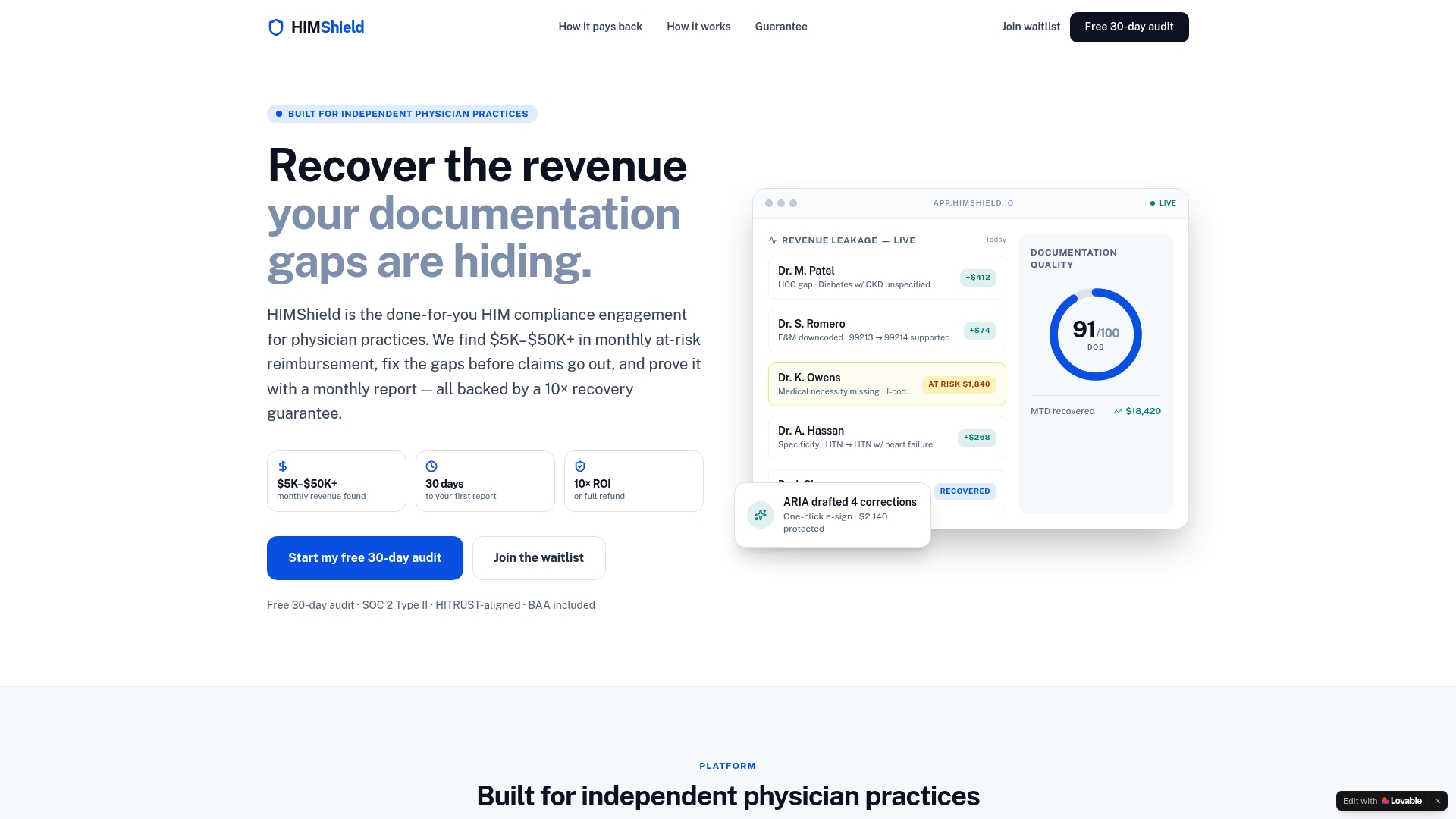
During the 30 days, we scan your EHR data for coding, documentation, and charge-capture gaps and return a Revenue Leakage Report broken down by provider and by payer. The report comes with compliance-ready documentation, including the kind of audit trail and sample findings that satisfy the traceability expectations in current OIG guidance.
| What the audit delivers | How it maps to pilot success metrics |
|---|---|
| Per-provider, per-payer Revenue Leakage Report | Baseline and post-pilot KPI comparison |
| Automated compliance alerts | Exception flagging for human review |
| Physician-friendly correction drafts | Reduced administrative burden during rollout |
| Audit-defense documentation | Compliance artifacts for OIG/CMS scrutiny |
If the pilot framework in this guide makes sense for your practice but running it internally feels like more than your team can take on right now, request the Free 30-day Revenue Leakage Audit and see what it finds in your own charts.
This article is general information, not a substitute for advice from a qualified doctor. Consult a qualified healthcare professional about your own circumstances before acting on anything here.
FAQ
Can AI take over medical coding auditing entirely?
AI tools can scan far more charts than a manual audit team, but current OIG guidance requires human validation for exceptions and traceability back to clinical documentation. Full automation without human review falls short of that compliance expectation, so AI works best as a triage layer that directs human attention rather than replacing it.
What do medical coding auditors actually do?
Medical coding auditors review clinical documentation against submitted codes to confirm accuracy, catch missed charges, and identify compliance risks before or after claims go out. AI tools now handle much of the initial scanning in that process, with auditors focusing their review on the flagged exceptions and higher-risk charts.
How long should an AI coding audit pilot run?
MGMA guidance points to a 60 to 90 day pilot window as reasonable for independent practices, long enough to compare baseline and post-pilot denial rates without extended exposure. Shorter pilots often don't generate enough claims data to show a reliable trend.
What is the biggest compliance risk with AI coding tools?
The clearest risk flagged in current federal guidance is relying on AI suggestions without a traceable link back to specific clinical documentation or without human review of exceptions. CMS and OIG guidance tracked through 2026 treats this traceability gap as a distinct compliance priority rather than a minor technical detail.
How does Himshield's audit fit into a pilot evaluation?
A Free 30-day Revenue Leakage Audit generates the same kind of baseline data a self-run pilot would need: per-provider, per-payer findings and compliance-ready documentation. It's designed to deliver that evaluation without requiring a practice to build or staff the pilot internally.
Sources
- Before you buy: Evaluating AI for coding and charge review in your practice (MGMA)
- CMS and OIG regulatory guidance on AI use in claims submission (ClaimsCurrent)
- Our framework for reviewing AI-generated code (JetBrains Research)