
The physician query process is defined as a formal communication between clinical documentation integrity (CDI) specialists and providers to clarify or add specificity to medical record documentation. Following physician query process best practices produces compliant, accurate records that support correct coding and reduce claim denials. The joint ACDIS/AHIMA guidelines recommend sharing query practice standards across all healthcare professionals to support consistent, compliant documentation. For independent physician practices, where every denial hits revenue directly, these standards are not optional. They are the foundation of a defensible revenue cycle.
What are the best practices for the physician query process?
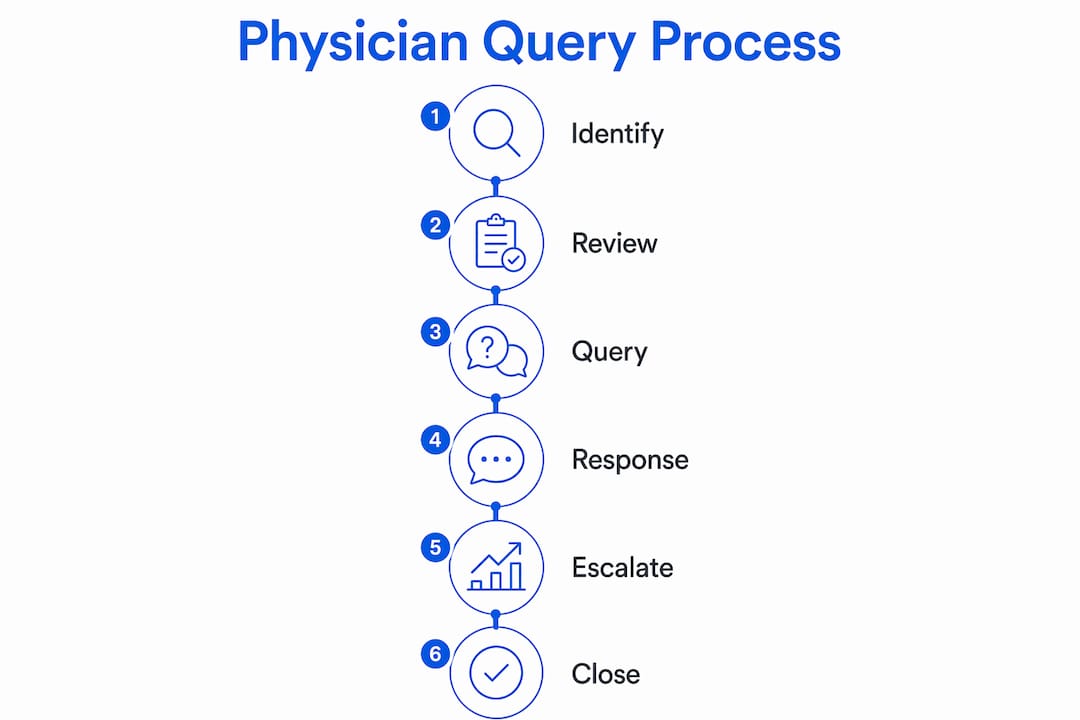
An effective physician query process follows six sequential workflow stages. Each stage has a defined purpose, and skipping any one of them creates compliance gaps that auditors can exploit.
The six-stage workflow:
- Case identification. CDI specialists review EHR flags, clinical indicators, and discharge summaries to identify records that need clarification. Common triggers include unspecified diagnoses, conflicting documentation, or missing present-on-admission (POA) status.
- CDI review. Before drafting any query, the specialist validates that a clinical basis exists in the record. A query without supporting documentation is not compliant.
- Query drafting. The specialist writes a concise query that includes the clinical scenario, a specific question, and evidence cited directly from the record. The recommended workflow requires evidence citation in every draft.
- Provider notification. The query reaches the provider through an EHR-integrated message, a secure portal, or a printed form attached to the chart. EHR delivery creates an automatic timestamp, which supports audit readiness.
- Response tracking. Every response, including the date, the provider's answer, and any addendum added to the record, must be logged. Tracking by case number prevents duplicate queries and shows auditors a clean chain of custody.
- Escalation. Escalation after 24 hours of non-response maintains timely documentation without pressuring providers. The escalation contact is typically a CDI supervisor or physician advisor, not the original specialist.
The table below shows how each stage maps to a compliance requirement.
| Workflow stage | Compliance requirement |
|---|---|
| Case identification | Clinical indicator must exist in the record |
| CDI review | Query necessity validated before drafting |
| Query drafting | Evidence cited; neutral language used |
| Provider notification | Delivery method timestamped |
| Response tracking | Date, answer, and addendum logged by case |
| Escalation | Triggered at 24 hours; supervisor contacts provider |
How do you write a compliant and effective physician query?
Query construction is where most compliance failures begin. Compliant queries stay under 100 words, offer 3–5 multiple-choice options, and always include "clinically undetermined" as one of those options. That single requirement prevents the query from implying a preferred answer.

Neutral language is not a style preference. Leading queries that suggest a preferred code are violations of compliance standards. A query that says "Does the patient have sepsis, which would better reflect the severity of illness?" is leading. A compliant version presents sepsis alongside two or three other clinical possibilities without ranking them.
Key construction rules:
- Keep the query under 100 words. Longer queries bury the clinical question and slow provider response.
- Offer 3–5 multiple-choice options. Include "clinically undetermined" and an "other" write-in option so providers are never forced into a listed answer.
- Cite the specific clinical evidence from the record that prompted the query. For example: "Lab results from [date] show a WBC of 18,000 and a temperature of 39.2°C."
- Use neutral framing. Present all options with equal weight. Never italicize, bold, or list one option first to signal preference.
- Avoid combining a query with physician education. Coding education must occur separately to avoid the appearance of steering a response.
Pro Tip: Draft your query template with a word-count field. If the draft exceeds 100 words, cut the clinical background first. The question and options must stay intact.
Practices should also standardize query criteria uniformly across all payer types. Applying different query thresholds by payer signals financial motivation to auditors and creates significant audit risk.
What are the common types of physician query scenarios?
Understanding the types of physician query scenarios helps CDI teams match the right format to the right clinical situation. Each type carries its own documentation requirements.
Written queries are the standard format for most practices. They create a permanent record, travel through the EHR, and require a documented response. Written queries work for specificity clarification, POA status, and clinical validation.
Verbal queries are faster but carry higher risk. Verbal queries must be documented with the exact date, time, discussion details, and provider signature to be valid for coding audits. An undocumented verbal query is invisible to auditors. If it comes up during an external review, the practice has no defense.
Common query scenarios by type:
- Specificity queries: The diagnosis is documented but lacks the detail needed for accurate coding. Example: "acute kidney injury" without a stage.
- Clinical validation queries: The documented diagnosis does not appear supported by the clinical indicators in the record. This type requires careful handling because it challenges the provider's clinical judgment.
- POA queries: The record does not clearly indicate whether a condition was present on admission or developed during the stay.
- Yes/no queries: Appropriate only when the clinical scenario is binary and no other options exist. Use sparingly because they limit provider input.
- Multiple-choice queries: The preferred format for most scenarios. They present balanced options and protect compliance.
Recording verbal queries with a timestamp, the clinical indicators discussed, the options presented, and the provider's signature ensures the query is discoverable during an audit. Build a verbal query log into your CDI workflow as a standard step, not an afterthought.
What tools and technology best support query management?
Technology does not replace clinical judgment in the query process. Software should flag cases for queries; human review must compose the actual query to maintain clinical accuracy and professionalism. The distinction matters because automated query drafting without human oversight creates compliance exposure.
Manual query tracking rarely scales beyond 50 queries monthly without risking compliance and workload errors. Practices that exceed that volume need EHR-integrated tracking systems with clinical indicator tagging. These systems log query rationale, provider responses, and turnaround times in one place, which makes audit reporting straightforward.
| Tracking method | Best for | Compliance risk |
|---|---|---|
| Spreadsheet or manual log | Fewer than 50 queries per month | High above that threshold |
| EHR-integrated query module | Mid-to-large independent practices | Low when configured correctly |
| Standalone CDI platform | High-volume or multi-site practices | Low with proper audit trails |
Pro Tip: When evaluating EHR-integrated query tools, check whether the system logs the clinical rationale for each query, not just the response. Rationale documentation is what protects you during a payer audit.
Practices should also track query metrics over time. Response rate by provider, average turnaround time, and query agreement rate are the three numbers that reveal whether your process is working. A low agreement rate may signal that queries are being written with leading language, which is a compliance problem, not just a workflow problem. Himshield's platform flags documentation and coding risks before they reach the query stage, giving CDI teams cleaner cases to work with from the start. Learn more about CDI best practices for independent medical groups.
What mistakes create compliance risk in the physician query process?
The most damaging mistakes in the physician query process are also the most common. Knowing them by name makes them easier to catch before they become denials or audit findings.
- Repeated queries to force a response. Sending the same query until a desired answer is received is explicitly non-compliant. A new query is only permitted when new conflicting clinical evidence appears in the record.
- Leading language. Any phrasing that implies a preferred diagnosis or code violates compliance standards. This includes framing one option more favorably than others, even subtly.
- Undocumented verbal queries. A verbal query with no written record does not exist from an auditor's perspective. Every verbal exchange must be logged with date, time, and provider signature.
- Mixing education with queries. Explaining why a specific code would better represent severity during the query itself is non-compliant. Education belongs in a separate, scheduled session.
- Inconsistent query criteria across payers. Querying more aggressively for Medicare patients than for commercial payers signals financial motivation and invites scrutiny.
"Effective queries validate clinical documentation to represent the patient's status accurately, not to increase revenue." — ACDIS/AHIMA 2026 Guidelines
The consequences of these mistakes are concrete. Payer audits triggered by non-compliant queries can result in recoupment demands, corrective action plans, and reputational damage. For independent practices without a large compliance department, a single audit cycle can consume months of administrative time. Review your physician practice compliance program structure to make sure query oversight is built in.
Key takeaways
Compliant physician queries require clinical evidence, neutral language, multiple-choice options including "clinically undetermined," and documented responses to protect independent practices from denials and audits.
| Point | Details |
|---|---|
| Follow the six-stage workflow | Identification through escalation covers every compliance checkpoint in the query cycle. |
| Keep queries under 100 words | Concise queries with 3–5 options get faster, more accurate provider responses. |
| Document every verbal query | Log date, time, options presented, and provider signature to survive any audit. |
| Never repeat a query to force a response | A new query is only allowed when new conflicting clinical evidence appears. |
| Use technology to scale, not to replace judgment | Software flags cases; trained CDI staff must draft every query for compliance. |
What I've learned about query culture in independent practices
Independent practices face a specific challenge that large health systems do not. There is no buffer between the CDI specialist and the physician. The person sending the query and the person receiving it may share a break room. That proximity creates pressure to soften queries, skip documentation steps, or avoid escalation to keep the peace.
The practices I have seen handle this well do one thing differently. They separate the query process from the relationship entirely by making it a system function, not a personal request. When a query arrives through the EHR with a clinical rationale and neutral options, it reads as a documentation task, not a challenge to the physician's judgment. That framing changes the response rate and the quality of answers.
The other mistake I see repeatedly is treating physician education as a query shortcut. Slipping a note about HCC gaps or DRG weight into a query feels efficient. It is not. It creates a compliance record that looks like steering, and it trains physicians to expect a lesson every time a query arrives. Keep education in its own scheduled channel, and keep queries clinical and clean.
Technology adoption matters too, but only if the practice is honest about its volume. A spreadsheet works at 30 queries a month. At 80, it becomes a liability. The right time to move to an EHR-integrated system is before you exceed your manual capacity, not after a denial pattern appears. HIM and physician alignment is the foundation that makes all of this work at scale.
— Elena
How Himshield supports compliant query workflows
Independent practices that want to protect revenue without adding administrative burden need a system that works before the query is ever written.
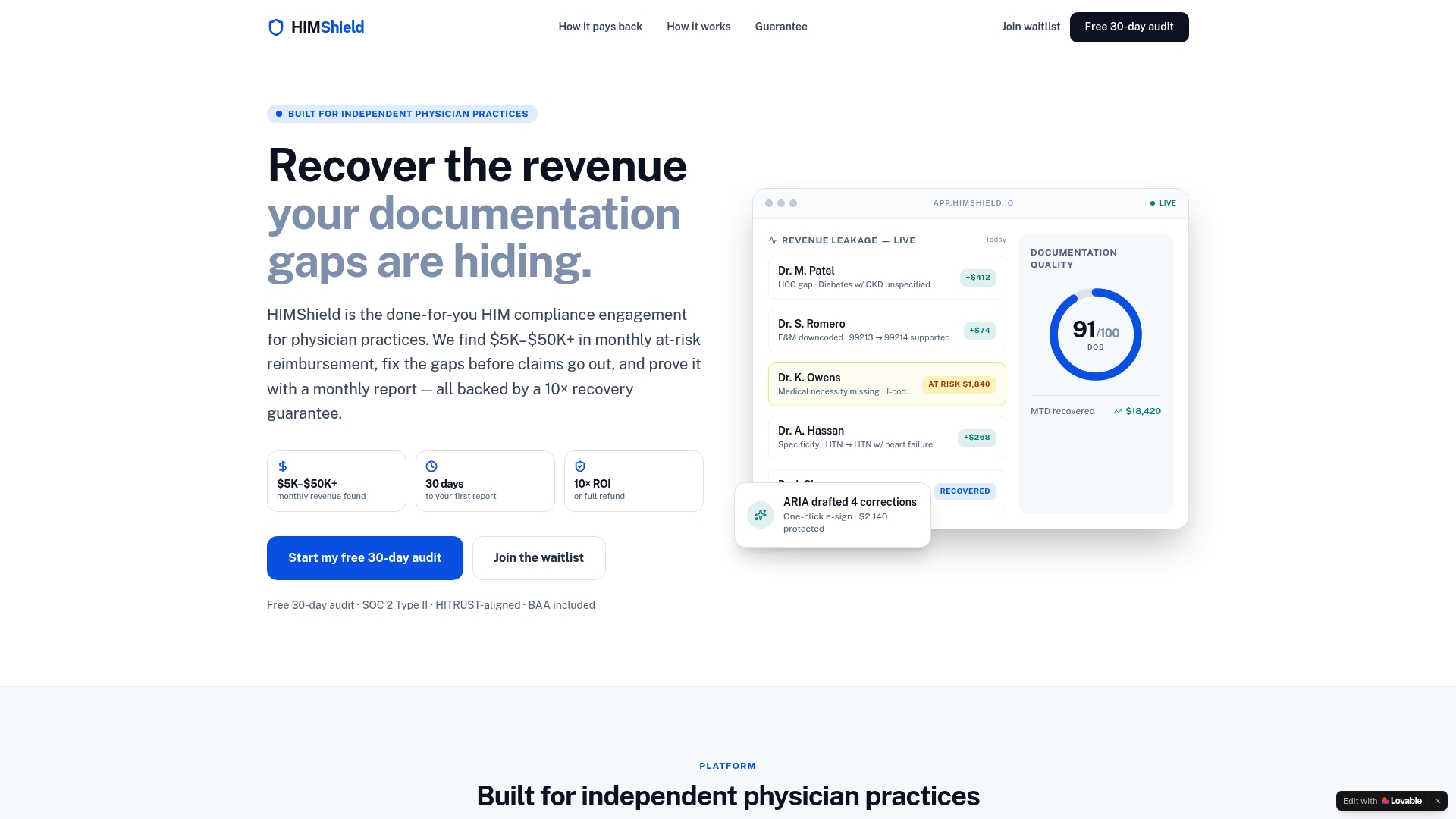
Himshield connects directly to your EHR and scans for coding, documentation, and charge-capture risks before they trigger a denial or an audit. The platform identifies the cases most likely to need a query, flags the specific clinical indicators, and gives your CDI team a clear starting point. That means fewer missed queries, faster turnaround, and a documentation record that holds up under payer review. Practices using Himshield recover $5,000–$50,000 or more in at-risk reimbursement by catching gaps early. Start with a free revenue leakage report to see exactly where your practice stands, or learn how Himshield works with your existing EHR setup.
FAQ
What is the physician query process?
The physician query process is a formal communication between CDI specialists and providers to clarify or add specificity to medical record documentation. Its purpose is to produce accurate, compliant records that support correct coding, not to increase reimbursement.
How long should a physician query be?
Compliant queries stay under 100 words and include 3–5 multiple-choice options, always including "clinically undetermined." Shorter queries get faster responses and reduce the risk of leading language.
When is it non-compliant to send a follow-up query?
Sending the same query repeatedly to obtain a desired response is non-compliant per 2026 ACDIS guidance. A follow-up query is only permitted when new conflicting clinical evidence appears in the record after the original query was sent.
How should verbal queries be documented?
Verbal queries must be recorded with the exact date, time, discussion details, options presented to the provider, and the provider's signature. Without this documentation, the query does not exist for audit purposes.
What is the difference between a specificity query and a clinical validation query?
A specificity query asks the provider to add detail to an existing diagnosis, such as adding a stage to acute kidney injury. A clinical validation query asks whether the documented diagnosis is supported by the clinical indicators in the record, which requires more careful, neutral framing to avoid compliance risk.